Invoice Book: What It Is & How to Create Digital Invoice Books in 2026
Learn what an invoice book is, when to use one, and why businesses are switching to digital invoice books. Create professional invoices online with Invoxa.
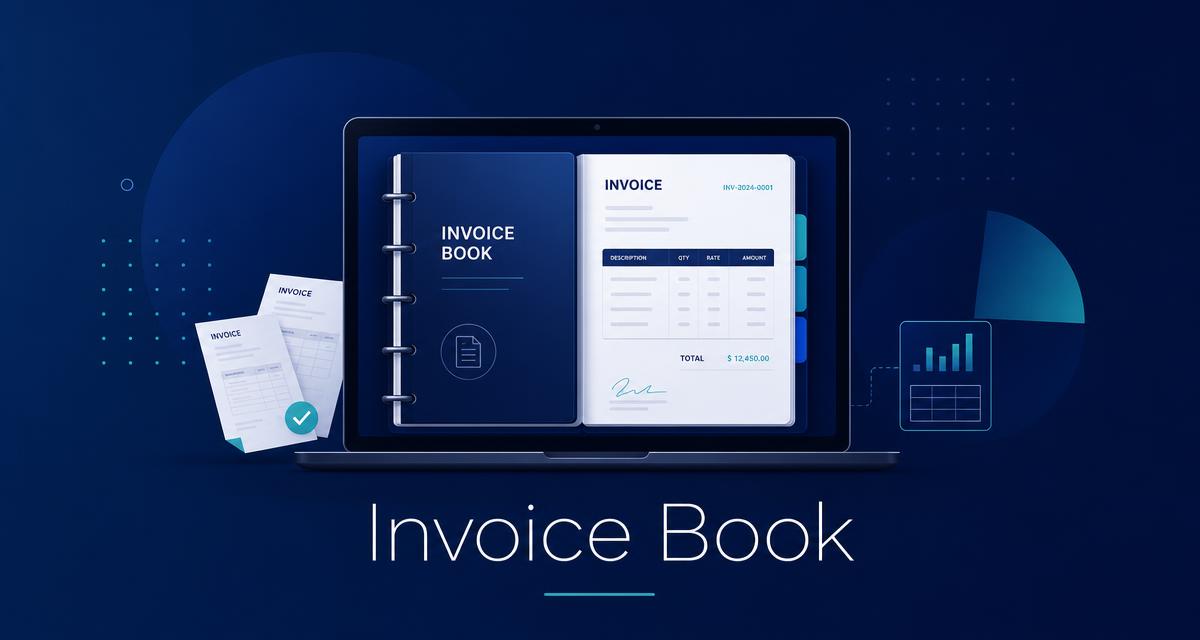
An invoice book is a structured record of all invoices a business issues, receives, or needs to track. Traditionally it was a physical pad or ledger used to write out invoices by hand, but today most businesses use a digital invoice book to stay organized, save time, and reduce errors.
Whether you are a freelancer, a small business owner, or a growing agency, keeping a clean invoice book helps you monitor cash flow, follow up on payments, and stay tax-ready. In this guide, you will learn what an invoice book is, who uses one, and how to create a professional online invoice book with Invoxa.
What Is an Invoice Book?
An invoice book is a collection or log of invoices issued by a business to its customers. It serves as a single source of truth for all billing activity, including what was sold, how much was charged, when payment is due, and whether the invoice has been paid.
In the past, an invoice book was literally a bound pad of pre-printed invoice forms. You would fill one out, tear off the customer copy, and keep the duplicate for your records. Today, an invoice book app or cloud-based accounting tool replaces the paper pad entirely.
A modern invoice book typically stores:
- Invoice numbers and dates
- Customer details
- Itemized products or services
- Subtotals, taxes, and totals
- Payment status and due dates
- Notes, terms, and payment history
Who Uses an Invoice Book?
Almost any business that bills customers needs an invoice book. Common users include:
- Freelancers — writers, designers, developers, and consultants who invoice clients per project or milestone.
- Small businesses — retail shops, service providers, and local contractors tracking daily sales and receivables.
- Agencies and studios — marketing, creative, and development agencies managing multiple clients and recurring billing.
- Tradespeople — electricians, plumbers, cleaners, and landscapers who need a quick way to bill on-site.
- Professionals — doctors, lawyers, accountants, tutors, and coaches who need clear, professional records.
If you are wondering whether you need an invoice book for small business, the answer is yes if you send invoices more than once a month or need to track who owes you money.
Paper Invoice Book vs Digital Invoice Book
| Feature | Paper Invoice Book | Digital Invoice Book |
|---|---|---|
| Accessibility | Stored physically | Available anywhere, on any device |
| Search | Manual flipping | Instant search and filters |
| Backups | Photocopies or scans | Automatic cloud backups |
| Errors | Easy to miswrite or lose | Validation, calculations, and audit trails |
| Professional look | Handwritten, limited branding | Branded templates and clean formatting |
| Tax prep | Manual reconciliation | Exports, reports, and summaries |
| Cost | Repeated printing and postage | Often free or low-cost monthly |
A paper invoice book can work for very small, low-volume operations, but it becomes hard to manage as your business grows. A digital invoice book gives you speed, accuracy, and professional presentation with far less manual work.
Benefits of a Digital Invoice Book
Switching to a digital invoice book offers clear advantages for busy business owners.
1. Save time on every invoice A digital invoice book auto-fills customer details, calculates totals, and stores templates so you can send invoices in seconds instead of minutes.
2. Reduce manual errors Automatic tax calculations, duplicate invoice detection, and required-field validation help prevent costly mistakes.
3. Get paid faster Online invoices include payment links or bank details, so customers can pay immediately. Payment reminders and status tracking reduce overdue balances.
4. Stay organized All invoices are stored in one place, searchable by client, date, amount, or status. You never have to dig through folders or drawers.
5. Simplify tax reporting Export your records for your accountant or use built-in reports to see taxable income at a glance.
6. Look professional Custom branding, clean layouts, and consistent formatting make your business look more credible to clients.
For a deeper look at why modern invoicing matters, read our guide on invoice automation.
How to Create an Invoice Book Online
Creating an online invoice book is straightforward. Here is the fastest way to get started.
Step 1: Choose an invoice book app
Look for software that is easy to use, includes payment tracking, and offers templates that match your business style. A good invoice book app should also let you add taxes, discounts, and notes without complexity.
Step 2: Add your business profile
Enter your business name, logo, contact details, and tax number. This information appears on every invoice automatically.
Step 3: Set up your customers
Add clients once and reuse their details for future invoices. This eliminates repetitive typing and keeps records consistent.
Step 4: Create your first invoice
Add line items, quantities, prices, and tax rates. The app calculates the total and generates a clean, professional invoice.
Step 5: Send and track
Email the invoice or download it as a PDF. Track when it is viewed, paid, or overdue.
Step 6: Organize your records
Use folders, tags, filters, or search to keep your invoice book tidy. At tax time, export everything you need in a few clicks.
Invoxa makes this entire process simple. You can create an invoice online in under a minute without signing up, or sign up for free to manage your full invoice book, track expenses, and scan receipts with AI.
Best Invoice Book Software in 2026
The best invoice book software depends on your business size, budget, and features. Here are the most important qualities to compare.
| Feature | Why It Matters |
|---|---|
| Ease of use | You should create an invoice in under a minute |
| Mobile access | Bill clients from your phone or tablet |
| Payment tracking | Know who has paid and who has not |
| Tax support | Add tax names and percentages easily |
| Receipt scanning | Capture expenses without manual entry |
| Reporting | See revenue, outstanding balances, and trends |
| Price | Free plans should handle real business needs |
Invoxa is built for freelancers and small businesses who want a free invoice book that still feels professional. It combines invoicing, expense tracking, receipt scanning, and reporting in one place, without the complexity of enterprise accounting software.
If you are comparing tools, you may also like our review of QuickBooks alternatives for small businesses.
Frequently Asked Questions
What is an invoice book used for?
An invoice book is used to record, organize, and track all invoices a business issues. It helps you monitor sales, follow up on unpaid bills, and prepare financial records for tax time.
Is a digital invoice book better than a paper one?
For most businesses, yes. A digital invoice book is faster to search, easier to back up, harder to lose, and simpler to share with clients or accountants. It also reduces manual calculation errors.
Can I get a free invoice book?
Yes. Several tools offer a free invoice book with basic features. Invoxa offers a free plan that lets you create and manage invoices, track expenses, and scan receipts with AI.
What is the best invoice book app for small businesses?
The best app is one that fits your workflow. Look for easy invoicing, client management, payment tracking, and tax flexibility. Invoxa is designed specifically for small businesses and freelancers.
How do I organize invoices in my invoice book?
Organize invoices by client, date, project, or status. Use tags, filters, and search to find records quickly. Most digital invoice book apps also let you export records for tax preparation.
Do I need an invoice book if I only have a few clients?
Yes. Even a small client list creates records you need to track. An invoice book helps you remember who owes what, when payment is due, and whether you have already sent a reminder.
Ready to replace your paper invoice book?
Create professional invoices, track expenses, scan receipts with AI, and manage your business with Invoxa. Get started for free today.