How to Create a Branded Invoice
A branded invoice gets paid faster and looks professional. Learn what to brand, what to avoid, and how to build a consistent invoice template step by step.
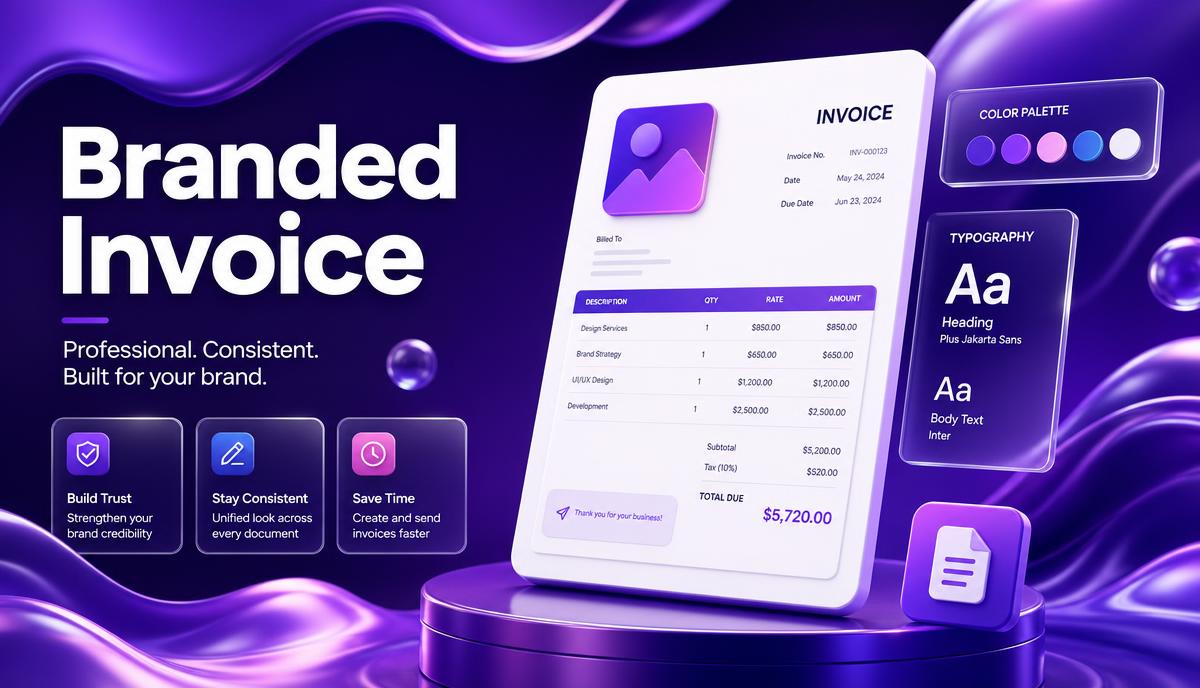
Short answer: To create a branded invoice, add your logo, brand colours and one consistent typeface to a clean invoice layout, keep the mandatory fields (invoice number, dates, line items, totals, tax and payment details) unchanged, and save it as a reusable template so every invoice you send looks identical.
Why branding your invoice actually matters
An invoice is often the last document a client sees in a project — and one of the few they forward to their finance team. A generic spreadsheet says "side hustle". A branded invoice says "established business", and businesses get paid faster than side hustles.
Three practical benefits:
- Recognition. Finance teams process dozens of invoices a week. Yours should be instantly identifiable.
- Trust. Consistent branding reduces "is this legitimate?" friction and fraud queries.
- Fewer disputes. A clear, well-structured layout means fewer clarification emails before payment.
What to brand (and what to leave alone)
| Brand it | Leave it standard |
|---|---|
| Logo in the header | Invoice number sequence |
| Primary colour for the table header and totals | Issue date and due date |
| One heading font + one body font | Line item descriptions, quantity, rate |
| Footer with website, email, socials | Tax lines and totals |
| Thank-you note or short sign-off | Bank / payment details |
Never let styling get in the way of the legal essentials. A beautiful invoice that omits your tax number is still an invalid invoice.
Step-by-step: building your branded invoice
1. Start from a clean layout
Use a single-column header, a full-width line item table, and a right-aligned totals block. Do not invent a new layout — accountants read thousands of invoices and expect the standard shape.
2. Add your logo at the right size
Place the logo top-left or top-centre. Export a PNG or SVG at roughly 300–600px wide. Anything larger bloats the PDF; anything smaller looks pixelated when printed.
3. Pick two brand colours, maximum
One primary colour for the table header, totals row and any accent lines. One neutral (dark grey, not pure black) for text. Coloured body text hurts readability and prints badly.
4. Choose one typeface
A clean sans-serif at 10–11pt for body text and 14–20pt for the invoice title. Avoid script fonts entirely — they fail at small sizes and in PDF viewers without font embedding.
5. Structure the mandatory fields
Every branded invoice still needs:
- The word Invoice and a unique invoice number
- Your business name, address, contact details and tax/VAT/GST number
- The client's name, address and reference or PO number
- Issue date and due date
- Itemised description, quantity, rate and line total
- Subtotal, tax (with the rate and label), and grand total
- Payment methods and bank or payment link details
- Payment terms and late fee policy
See our full professional invoice checklist for the detail on each field.
6. Add a branded footer
A single line with your website, email and, if relevant, registration number. Add a short human sign-off — "Thanks for working with us" converts better than a blank space.
7. Save it as a reusable template
This is the step most people skip. Branding only pays off when it is identical every time. Save the file as a locked template, or better, use invoicing software that applies your branding automatically to every invoice, quote and reminder.
Design mistakes that cost you money
- Logo too large — it pushes the totals onto page two.
- Low contrast — light grey text on white is unreadable when printed or scanned.
- Coloured backgrounds behind the whole table — burns ink and looks cheap in print.
- No white space — cramped invoices feel disorganised and slow approval.
- Inconsistent numbering — see invoice numbering best practices.
- Sending as a Word doc — always send PDF so the layout cannot shift.
Branding on reminders and receipts too
Your branding should carry across the whole payment journey: the invoice, the email that delivers it, the payment page, the reminder, and the receipt. Mismatched branding at the payment step is a common reason clients hesitate.
Do it in a couple of clicks with Invoxa
In Invoxa you upload your logo once, set your accent colour, and every invoice, recurring invoice and payment reminder is branded automatically — no template files to maintain. You can try the layout first with the free invoice generator.
FAQ
Do I need a logo to send a professional invoice? No. A clean layout with your business name set in a consistent typeface is enough. A logo helps recognition but is not a legal requirement.
What file format should I send? PDF. It preserves layout and fonts across every device and is what accounting teams expect.
Can I use colour on an invoice sent to a large company? Yes, but keep it restrained. Enterprise finance systems often print or scan invoices in greyscale, so make sure your invoice still reads perfectly in black and white.
How do I brand invoices in multiple currencies? Keep the same design and change only the currency symbol and tax label. See invoicing in USD, EUR and GBP.